Zèya
- 3.8
- Rating
- 10.00K
- Installs
- Free
- Price

 Analysis by App-foxy
I approached Zèya as a community-focused lifestyle app rather than another general social network. Its central idea is simple: people can swap items, save things they care about, and connect with others around them. That sounds straightforward, but the quality of the experience depends heavily on how much activity exists in the community you are trying to use. In my experience, that makes the app feel more personal than a broad marketplace in some situations, while also making it less useful when the local network is quiet.
The app is free, developed by The Zéya App, and aimed at mature users aged seventeen and over. It has reached more than ten thousand installs and holds a 3.8 average from a little over two hundred ratings, with just over fifty written reviews. Those figures suggest a modest but real user base rather than an enormous platform where every search is guaranteed to produce results. I would treat that as an important part of the decision: Zèya is most promising when you already have a community in mind, not when you expect a universal replacement for every social or resale service.
How Zèya feels when your community is connected
The strongest part of the concept is the relationship between discovery and participation. A traditional shopping app usually puts the product first, while a general social platform puts conversation first. Zèya sits somewhere between those habits. You are not only looking for something to acquire; you are also entering a space where saving, swapping, and connecting can overlap. That gives the app a more human rhythm, especially when the people using it share a neighborhood, interest, or social circle.
You May Also Like

 Blood Strike: 2.5 Anniversary
Blood Strike’s Loadouts Turn Every Drop Into a Tactical Gamble
A close look at Blood Strike’s custom loadouts: how fast access to signature weapons reshapes its battle royale rhythm, rewards preparation, and narrows the gap between fights.

 Pandora - Music & Podcasts
Pandora’s Music Is Easy to Start, but Harder to Recover
Pandora’s strength is its low-effort path from a seed to a station. Its weak spot is how much confidence it asks you to place in connection, setup, and quiet recovery.

 8 Ball Pool
 Is Built on Rivalries, Rematches, and Routine
A close look at the rivalries, rematches, shared routines, and unanswered safety questions that turn a quick pool match into a persistent mobile community.

 Samsung Music
’s Quiet Strength Is Playing What You Already Own
Its reach comes less from spectacle than from dependable access to a personal library. That simplicity is both the app’s strongest retention engine and its ceiling.

 AccuWeather: Weather Radar
AccuWeather Review: A Quick, Clear Forecast for Everyday Decisions
For everyday plans, the best forecast is the one you can understand quickly. AccuWeather makes rain timing, radar, and local conditions easy to act on, with a few trade-offs.

 Hill Climb Racing
Why Hill Climb Racing Still Turns Crashes Into One More Run
A tiny car, a bumpy hill and one more upgrade: Hill Climb Racing keeps resurfacing because its simple chaos makes every near-miss feel personal.
More From Our News Desk
View All News


That community element also creates the first major trade-off. A large marketplace can compensate for a weak local selection by drawing from a wide area. A community-led app cannot always do that without losing the closeness that makes it appealing. If you open Zèya while several people around you are actively posting or responding, the experience can feel lively and useful. If you are the only regular participant in your circle, browsing may feel limited even though the app itself is functioning normally.
I found it helpful to think of the app as a place to build a habit rather than a tool for one urgent transaction. Saving something can be useful even when you are not ready to swap immediately. It gives you a way to keep track of what catches your attention and return when your circumstances change. The practical insight is that the save function is not merely a bookmark; it can become a quiet planning layer for future exchanges, provided you review it instead of letting it become a pile of forgotten intentions.
What happens during an ordinary day
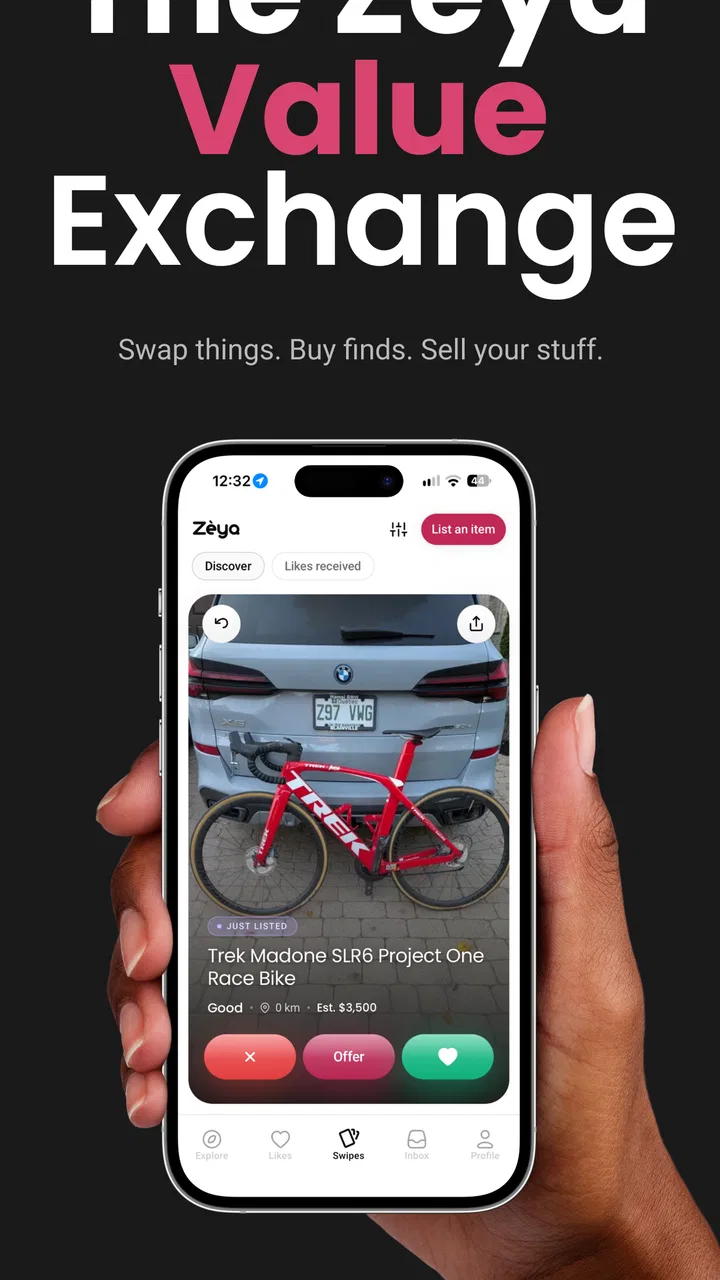
Imagine noticing that a neighbor is clearing out books, clothing, household objects, or another item that could be useful to you. With a conventional classifieds service, you might search by broad terms, compare listings, and then move into a separate messaging process. Zèya’s appeal is that the discovery and community sides are closer together. You can browse what is relevant to your circle, save possibilities, and decide whether a swap makes sense without treating every interaction like a formal sale.
That makes the app particularly suitable for people who dislike waste and prefer exchanges over one-way buying. It can also suit someone who wants to keep useful items circulating among people they recognize. I would not use it as my only option for a time-sensitive purchase, though. A community exchange often requires patience, a compatible item, and a responsive person on the other side. If you need a replacement today, a conventional retailer or a larger marketplace will usually be more predictable.
One non-obvious advantage is the way saving can reduce impulse decisions. Instead of immediately committing to an exchange because an item looks interesting, I can save it, compare it with what I already own, and decide whether I have something genuinely worthwhile to offer. That small pause matters in a swapping environment. It helps prevent the common mistake of collecting objects simply because they are available.
Why the network matters more than it first appears
Zèya’s useful moments are naturally connected. Community content has to load, current activity has to be visible, and any interaction that involves another person depends on information moving between users. I would therefore plan to use it when my phone has a dependable connection, especially before leaving home or while checking for time-sensitive responses.
This does not mean every visit must be long or carefully planned. A quick check during a commute, lunch break, or walk can make sense when the signal is stable. The important distinction is between browsing casually and relying on the app for coordination. If you are arranging an exchange, do not assume that a screen you saw earlier represents the latest situation. Reopen the relevant conversation or listing shortly before you leave, and make sure the other person has actually responded.
That habit is more valuable than it sounds. Community apps can create false confidence because a saved item or previous message remains visible even when the surrounding situation has changed. Treat saved content as a reminder, not as proof that an exchange is still available. This is one of the clearest ways to avoid wasted travel or an awkward misunderstanding.
Using it on a phone without making the process tiring
The mobile setting suits the app’s basic idea because community exchanges often happen in small gaps during the day. I can imagine checking a saved item while sorting a cupboard, noticing something that might be useful to someone else, or reviewing possible swaps before heading out. Those are natural phone moments because the decision is tied to what is physically around me.
Still, mobile convenience does not remove the need for organization. When several possible swaps compete for attention, I recommend keeping the purpose of each saved item clear. Is it something you want, something you may offer, or something you are watching for a future conversation? Without that mental distinction, saving can become a substitute for deciding. The app works better when each saved entry leads to a next step: ask, offer, wait, or remove it.
A second useful workflow is to prepare before you browse. If you are hoping to swap, know which items you are genuinely willing to part with and what condition they are in. That makes your participation more efficient and avoids the vague back-and-forth that can make community exchanges frustrating. Zèya may help you discover opportunities, but the quality of the exchange still depends on how clearly you communicate your own side.
I also think the mature age rating should shape expectations. This is not an app I would casually hand to a child, and adults should approach community interaction with ordinary online judgment. Keep personal details limited until you understand who you are dealing with, and choose sensible arrangements for any in-person handoff. The app’s social purpose is useful, but it does not remove the need for boundaries.
When something fails or the conversation stalls
Every community platform has a failure point that is easy to overlook: the other person may not respond. A listing may no longer be relevant, a proposed swap may not be accepted, or a connection may lose momentum. I would not interpret that automatically as a flaw in the app. It is part of relying on people rather than on an automated checkout system. However, it does mean that Zèya rewards users who can tolerate uncertainty.
My preferred recovery approach is simple. First, check whether the app is showing current information by refreshing the relevant area when your connection is reliable. Next, review whether your own proposal was clear and realistic. If the exchange still goes nowhere, move on instead of repeatedly investing time in one inactive possibility. The save feature is useful here because it lets you preserve interest without continuing an unproductive conversation.
Connectivity failures deserve the same calm approach. If a page does not load while you are outside, I would avoid assuming that the item or message has disappeared. Try again later from a stronger connection, then verify the current status before making plans. The practical limitation is that the app should not be treated as a guaranteed offline record of live community activity. Its value comes from current participation, so a temporary interruption can make old information less trustworthy.
There is also a social recovery step that many users skip: confirm the details in plain language before meeting. Agree on what is being swapped, where the handoff will happen, and whether the arrangement has changed. This is not glamorous, but it protects the usefulness of the platform. A community app can make introductions easier; it cannot replace basic coordination.
Keeping mobile data and attention under control
Because Zèya revolves around community activity, I would use it deliberately rather than leaving it open throughout the day. Short, purposeful visits are a better fit for my routine than repeatedly checking for updates. That approach reduces distraction and makes saved content easier to manage. It also avoids turning a simple exchange app into another endless scrolling habit.
When I am on a limited connection, I would wait until I have a more dependable network before doing extended browsing or preparing a detailed exchange. I would also avoid making decisions based on a partial load or an old screen. The key data-conscious habit is not a technical setting; it is recognizing that current community information is worth checking when the connection is good, while casual browsing can wait.
Saving selectively helps here too. A smaller collection of meaningful items is easier to revisit than a long list created from momentary curiosity. I would periodically remove anything that no longer fits my needs, especially after a swap has been completed or an item has lost its appeal. This keeps the app’s planning function useful and prevents saved content from becoming visual clutter.
For people who are sensitive to notifications and interruptions, the app is best approached as an intentional tool. Check it when you have time to answer properly, rather than opening it during a rushed moment and leaving several conversations half-finished. Community participation works better when responses are clear and timely. That is a user habit, but it directly affects how rewarding the app feels.
Who should choose it, and who should look elsewhere
I would recommend Zèya to someone who enjoys local or interest-based exchange, wants to reduce unnecessary buying, and is comfortable with a community developing gradually. It is also a good fit for a person who likes saving possibilities before deciding and who sees value in connecting with people rather than simply completing a transaction.
I would be more cautious if your priority is guaranteed availability, rapid delivery, fixed prices, or a highly predictable customer-service process. A large resale platform may offer more choice, while a retailer is usually better for urgent purchases. A general social network may also be more suitable if your main goal is conversation rather than swapping and saving. Zèya’s identity is narrower, and that focus is both its attraction and its limitation.
The app may also disappoint users who expect immediate activity in every location. Its community model means that usefulness can vary depending on who participates around you. Before committing to it as your main exchange tool, I would spend a little time checking whether the kinds of items and interactions you want are actually present. That is a better test than judging the concept from the store summary alone.
My verdict after weighing the connected experience
The current release, version 4.0.3, presents Zèya as a free lifestyle app with a clear social purpose: make it easier for people to save, swap, and stay connected around shared activity. I like the idea because it encourages a more considered relationship with possessions. The best moments come when the app helps turn “someone might use this” into a practical exchange, not when it tries to imitate a massive shopping catalog.
My reservation is equally clear. The experience depends on an active community, a working connection, and users who communicate responsibly. That combination can feel rewarding, but it is less dependable than a conventional store or a large marketplace. I would use Zèya alongside those alternatives, not necessarily instead of them: one for community discovery and thoughtful swaps, the others for speed, range, or certainty.
My final recommendation is to try Zèya if the community side matters as much to you as the item itself. Give it a fair chance by using it with a specific purpose, keeping saved items organized, checking current information before arranging anything, and avoiding rushed decisions on a weak connection. If those habits match the way you already live, the app can become a useful bridge between decluttering, discovering, and staying connected. If you only want fast, guaranteed transactions, another category of app will probably serve you better.
FAQs for Zèya
01What is Zèya, and what can I use it for?
Zèya is an application designed to provide users with its own set of digital tools and services, although the exact experience may depend on the version and platform you install. Before downloading, it is worth checking the official description, screenshots, and supported features to confirm that it matches your needs. I also recommend reviewing whether the app requires an account, location access, or other permissions during setup.
02Is Zèya free to download and use?
Zèya may be available as a free download, but some features, content, or services could require in-app purchases, a subscription, or payment through an external process. App-store listings can change over time, so check the current pricing information before installing. If you are downloading it for a child or sharing a device, review purchase restrictions and subscription terms to avoid unexpected charges.
03Which devices and operating systems support Zèya?
Compatibility depends on the release available for Android or iOS and on the minimum operating-system requirements set by the developer. Before proceeding, open the official Google Play or App Store listing and confirm that your phone or tablet is supported. Older devices may install the app but provide a slower experience, limited functionality, or problems with updates, notifications, camera access, or other integrated features.
04Does Zèya require an internet connection or user registration?
Many of Zèya’s functions may depend on an active internet connection, particularly if the app synchronizes information, loads online content, or communicates with a service account. Registration may also be necessary to save settings or access the complete experience. Before downloading, consider whether you are comfortable creating an account and providing the requested details. Also check whether any important features work offline or only through mobile data or Wi-Fi.
05Is Zèya safe to install, and what permissions should I review?
As with any app, you should review Zèya’s developer information, recent user feedback, privacy policy, and requested permissions before installation. Only download it from an official app store or a verified source, and avoid modified APK files. Pay particular attention if the app requests access to contacts, precise location, files, microphone, camera, or notifications. Grant only the permissions that are necessary for the features you intend to use.
Pros
- Simple interface that is easy to navigate for first-time users.
- Personalized features can make the experience feel more relevant.
- Useful tools are organized in one convenient mobile app.
- Regular updates may improve performance and add new functionality.
- Lightweight design helps the app run smoothly on many devices.
Cons
- Some features may require an account or personal information.
- The app’s usefulness can depend on your location or supported services.
- Certain options may be limited without a paid plan or purchases.
- Notifications could become distracting if too many are enabled.
- Performance may vary on older phones or slower internet connections.

Zèya
Gallery